


Applicable Instructions
This article applies to: Gate Web
Preparation: Logged in to your Gate account
Estimated time: 2 minutes
Objective
This guide will walk you through how to view your rewards, points, tasks, and coupon records in the Benefits Center on Gate Web.
Steps
Step 1: Access the Benefits Center
After logging in to your Gate account, click on Benefits Center in the top navigation bar.
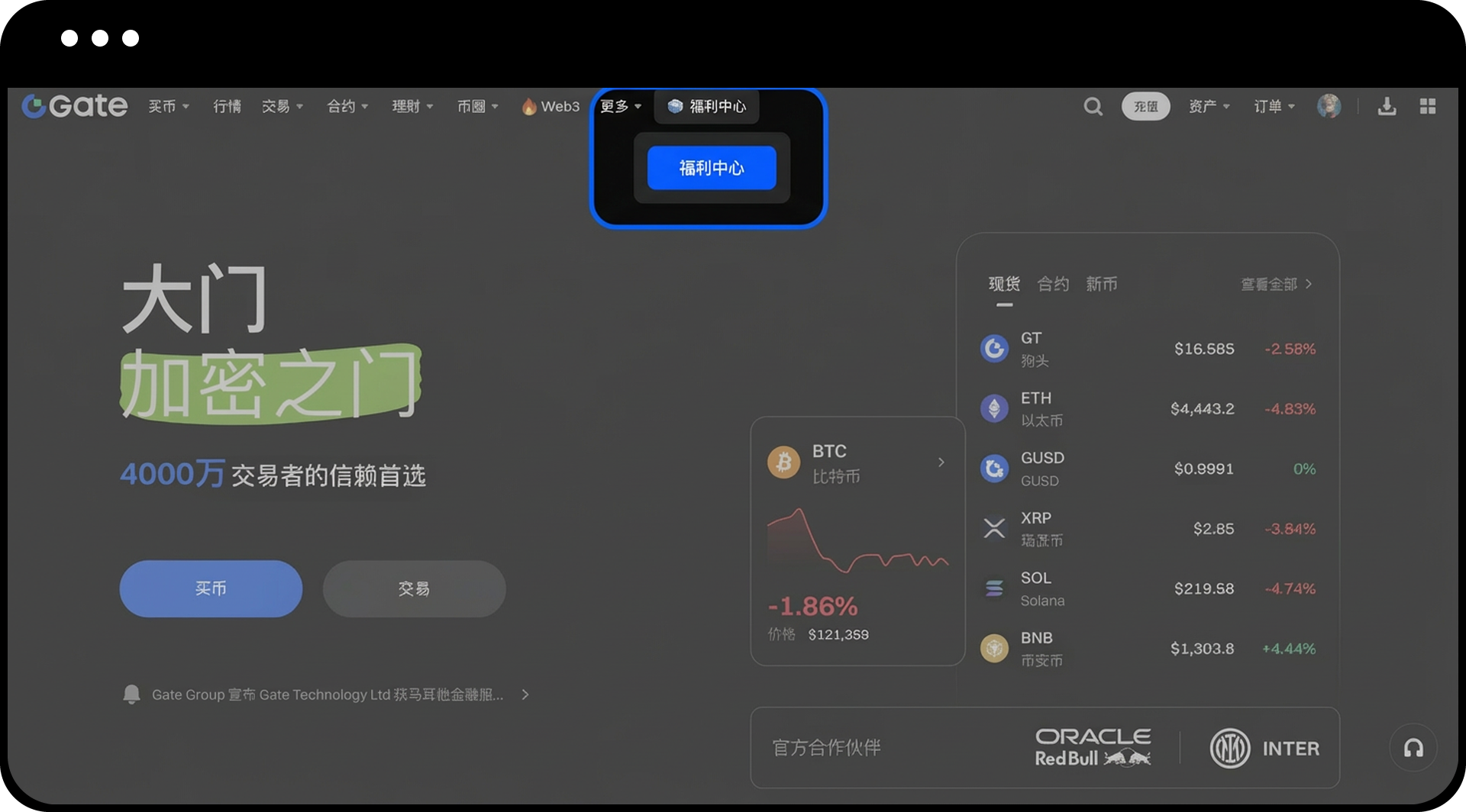
Step 2: Open Task Records
On the Benefits Center page, click the Task Records button in the lower right corner.
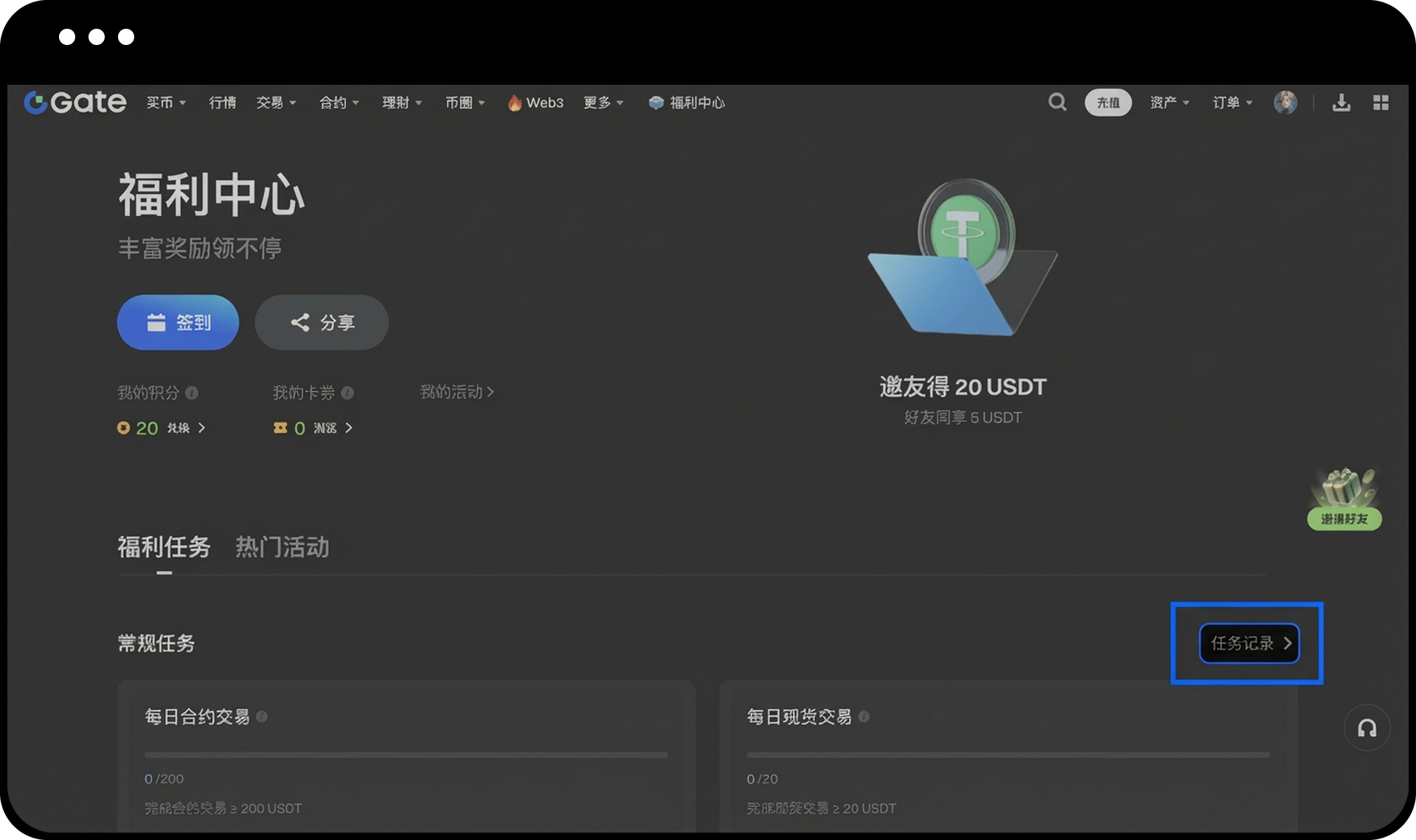
Step 3: View Different Records
In the pop-up My Records window, you can switch between tabs to view:
- Sign-in Records
- Task Records
- Points Records
- Coupon Records
- Referral Task Records
You can filter records by time (such as "Last 7 Days") or type (such as "All") to view the relevant entries.
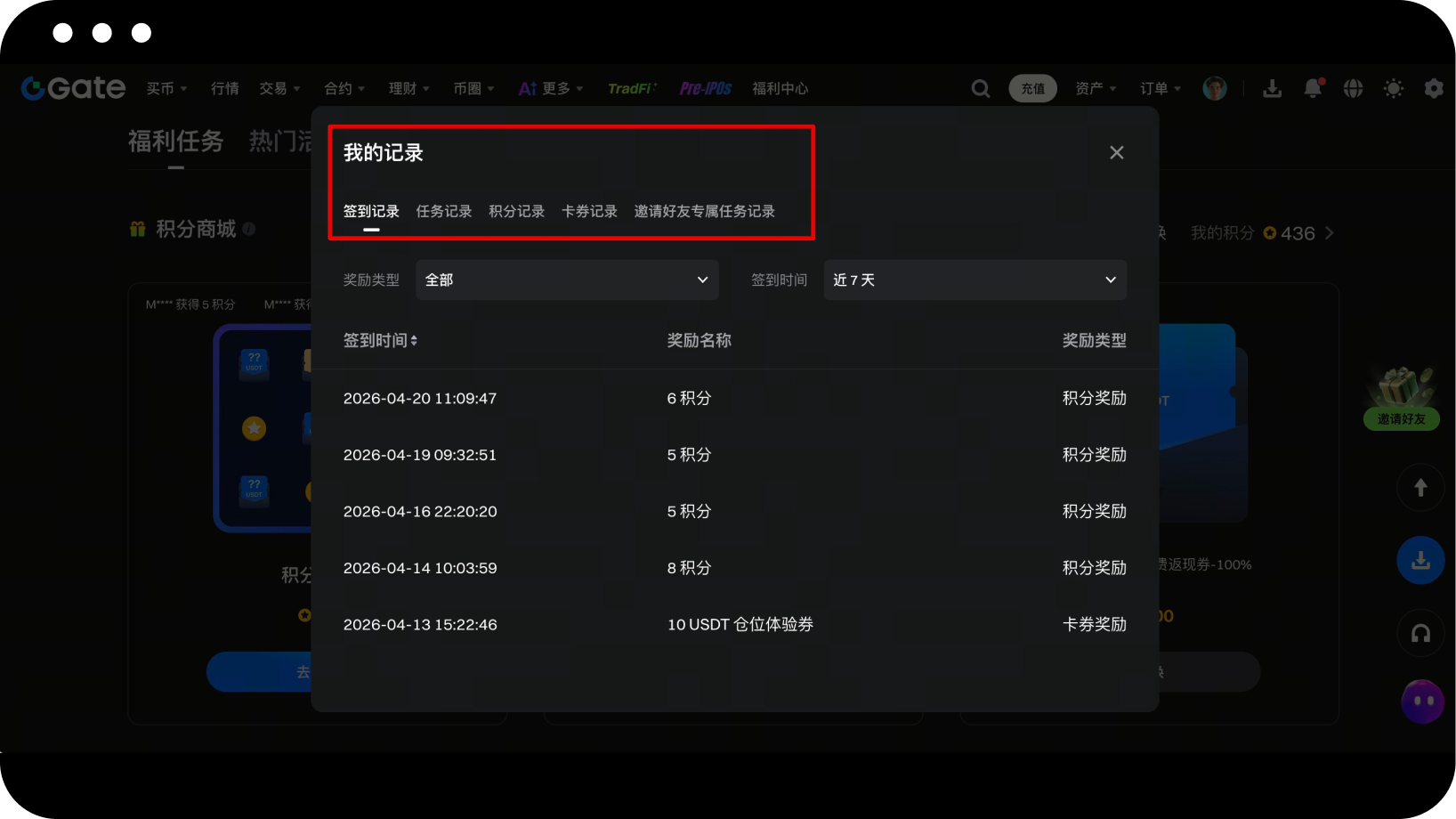
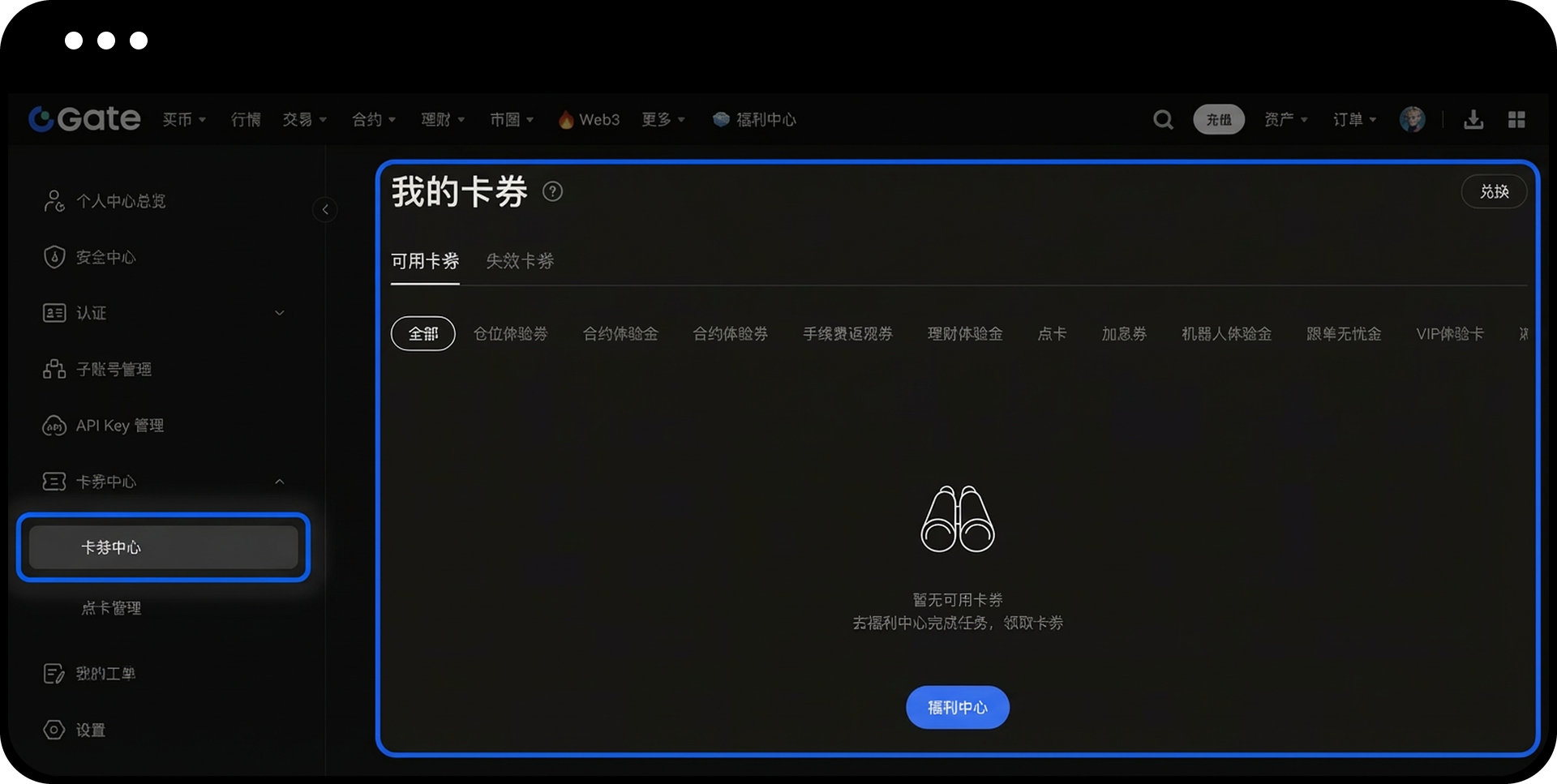
Step 4: View Available Coupons
Click the small arrow below My Coupons to see your currently available coupons.
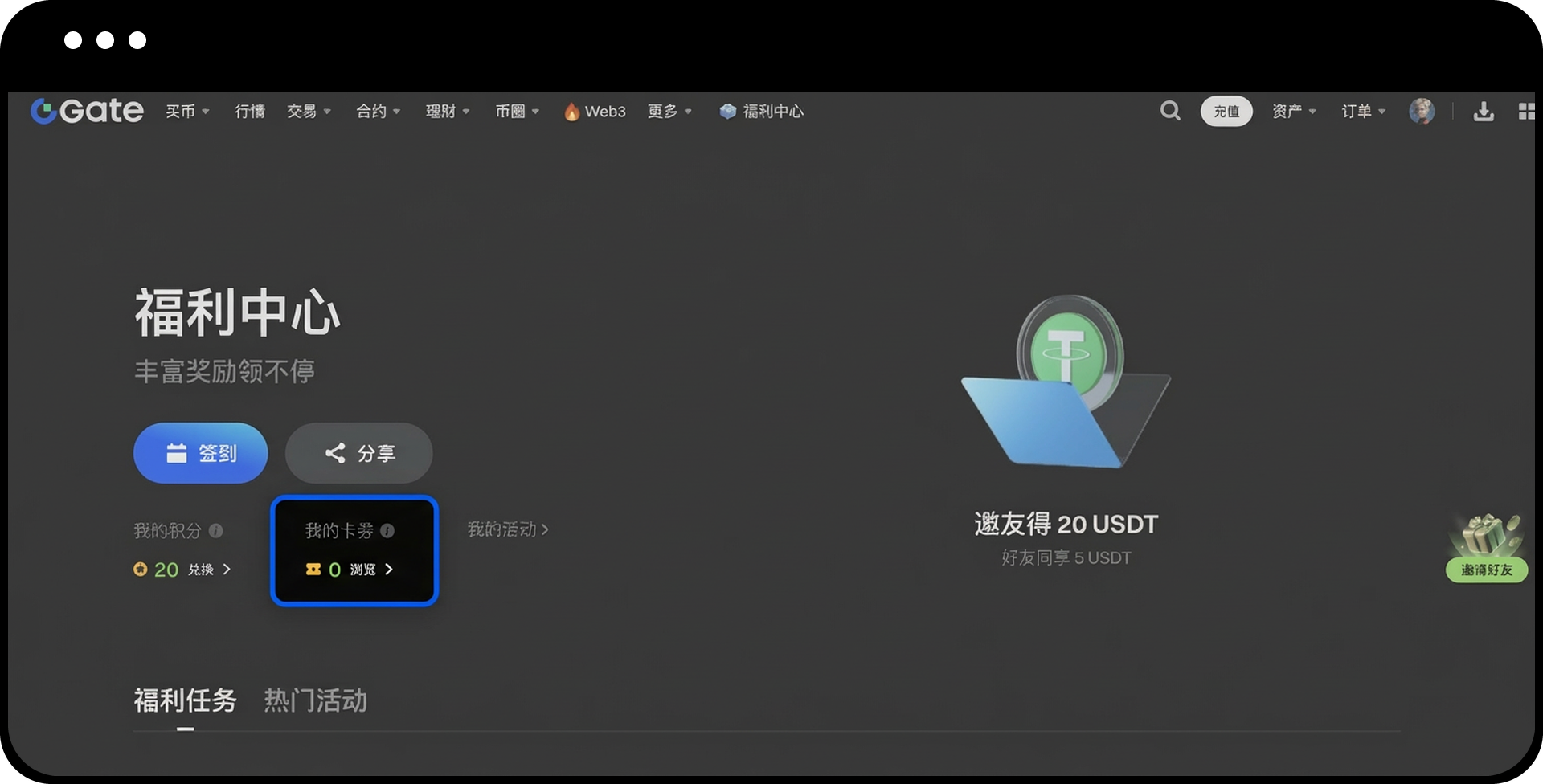
Notes
- Some rewards may only appear in your records after meeting specific conditions.
- Most coupons have an expiration date, so please check the validity period and use them before they expire.
- You can adjust the time filter to view historical records from different periods.
Frequently Asked Questions
Q1: Why can’t I see certain reward records?
A: Some rewards may only appear after meeting specific conditions, or you may need to adjust the time filter to view historical records.
Q2: Do coupons have an expiration date?
A: Yes, most coupons have a validity period. Please check the specific expiration date in My Coupons and use them in time to avoid expiration.
Q3: Can I export my points records?
A: Currently, you can view your points records online. If you need to export detailed data, please contact our customer support team for assistance.
Disclaimer
The content provided herein is for reference and educational purposes only and does not constitute any financial, investment, trading, or legal advice, nor does it constitute an offer or solicitation to buy or sell any digital assets. Gate makes no express or implied representations or warranties regarding the accuracy, completeness, or timeliness of the information contained herein. Product features, interfaces, rules, and fee structures may be updated or adjusted at any time. Please refer to the latest announcements and the actual information displayed on the Gate platform for the most accurate details.
Digital asset investments involve significant risk, and prices may fluctuate substantially. You may lose the entire amount of your investment. Please make decisions cautiously based on your own financial situation and risk tolerance after fully understanding the associated risks. If necessary, you are advised to consult an independent professional financial or legal advisor.
For more information about potential risks, please refer to Gate's Risk Disclosure and User Agreement.
